Most enterprise cloud migrations start with a clear goal. Reduce infrastructure costs. Improve reliability. Get out from under ageing on-premises hardware. Those are legitimate reasons to move.
The problem is what happens between that decision and the actual migration. The assumptions that get made, the work that gets skipped, and the expectations that don’t survive contact with a real cloud environment. Cloud migrations fail, go over budget, or produce disappointing results far more often than vendors would have you believe, and the reasons are almost always the same.
This is what we see repeatedly when enterprises approach cloud migration the wrong way, and what actually needs to happen instead.
Treating it as a one-time move rather than an ongoing change
A lot of organisations approach cloud migration like a project with a start and end date. Move the workloads, close the data centre, done. That framing causes problems almost immediately.
The cloud is not a destination you arrive at. It is an operating model that requires continuous management. After the migration, you still need to monitor usage, right-size resources, manage security configurations, respond to new services your provider releases, and optimise costs as your workloads change. None of that has a finish line.
Organisations that treat migration as a one-time event tend to end up with cloud environments that are expensive, under-optimised, and poorly governed, because nobody owns the ongoing work of keeping them in good shape. The migration itself may have gone fine. What came after did not.
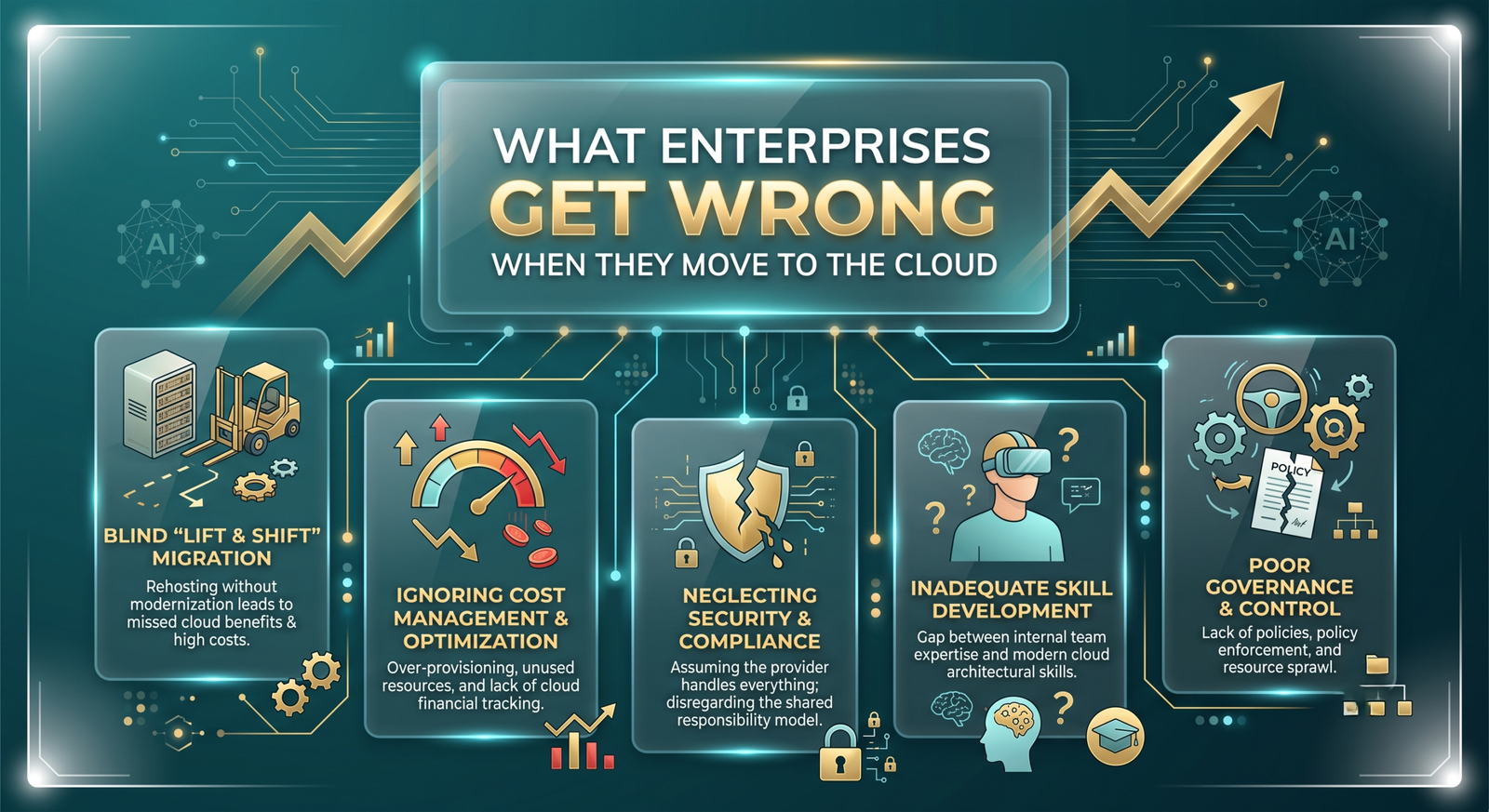
Lifting and shifting without asking what should actually change
Lift-and-shift, moving workloads to the cloud with minimal changes, is sometimes the right approach. It is fast, relatively low risk, and gets you off on-premise infrastructure quickly. But it is not always the right approach, and treating it as the default is a mistake.
Applications that were built for on-premise environments often do not run efficiently in the cloud when moved without modification. You end up paying cloud prices for workloads that are still behaving like they are running on a physical server in a rack. The cost savings that justified the migration do not materialise, and in some cases the bill goes up.
Before any migration starts, each workload should be assessed on its own terms. Some are good candidates for lift-and-shift. Others benefit from re-platforming, moving to a managed service rather than just a cloud VM. Others need to be refactored to take advantage of auto-scaling, serverless architecture, or cloud-native databases. Treating everything the same way produces a cloud environment that is neither efficient nor fully utilised.
At Innosaber, the assessment phase is where we spend real time before any workload moves. Understanding what each application does, what it needs, and what the right migration path looks like for that specific workload is what determines whether the migration actually delivers what was promised.
Underestimating what the assessment phase actually involves
The 90 days before the first workload moves are usually more important than the migration itself. Most of the decisions that determine whether a cloud migration succeeds are made during the assessment and planning phase, and most enterprises do not give that phase enough time or enough rigour.
A proper assessment maps your current environment in detail: every application, every dependency, every data flow, every compliance requirement, and every integration that breaks if a workload moves without the things it relies on. It identifies which workloads should move first, which should move later, and which should probably not move at all.
Skipping this, or doing a surface-level version of it to save time, is how you end up discovering mid-migration that an application you just moved depends on a legacy database that cannot be migrated on the same timeline. Or that a compliance requirement means a certain workload cannot run in the region you planned to use.
The assessment takes time. It is worth it every time.
Assuming the cloud will automatically cost less
Cloud providers make cost savings easy to believe in at the sales stage. And it is true that a well-run cloud environment, with right-sized resources, automated scaling, and sensible architecture, is usually cheaper than the on-premise setup it replaces.
The key phrase is well-run. Cloud costs are variable and responsive to what you actually do with the environment. Idle compute still costs money. Over-provisioned instances cost more than they need to. Egress charges for moving data out of a cloud environment catch organisations off guard regularly. Storage costs accumulate without anyone noticing.
Without active cost management, a cloud environment can easily cost more than the on-premise infrastructure it replaced. The difference is that on-premise costs are largely fixed and visible. Cloud costs are variable and require ongoing attention to keep under control.
FinOps, treating cloud spend as something that needs active management rather than passive monitoring, is not optional for enterprises. It is part of how a cloud environment is operated. Building that discipline from the start of the migration is significantly easier than trying to add it after a year of unmanaged spend.
Leaving security as an afterthought
The shared responsibility model in cloud computing means the provider handles the security of the cloud infrastructure itself. You are responsible for everything running on top of it: your data, your access controls, your configurations, your applications.
A large number of cloud security incidents are not caused by flaws in AWS, Azure, or Google Cloud. They are caused by misconfigured storage buckets, overpermissioned IAM roles, unpatched applications, and security configurations that were set up quickly during a migration and never properly reviewed.
Security cannot be bolted on after a migration completes. The architecture decisions made during planning, how networks are segmented, how access is controlled, how secrets are managed, how logging and monitoring are configured- all of those determine the security posture of the environment you end up with.
Our cloud work at Innosaber runs alongside our cybersecurity practice. The engineers doing the migration and the team responsible for security work from the same plan, not in sequence. That is the only way to end up with an environment that is actually secure rather than one that has security features added to it.
Not planning for what happens to the team
Cloud migration changes how IT teams work. The skills required to manage a cloud environment are different from the skills required to manage on-premises infrastructure. Network engineers, system administrators, and DBAs find that their roles shift significantly, and not all of them make that transition smoothly without support.
Organisations that plan carefully for the technical side of migration but not for the people side often end up with a cloud environment that nobody knows how to operate properly. The migration succeeded. The ongoing management did not.
Getting teams trained and involved during the migration, not after it, makes a real difference. People who were part of building the environment understand it. People handed a finished environment and told to manage it are starting from scratch.
Picking the wrong cloud for the wrong reasons
AWS, Azure, and Google Cloud each have genuine strengths. AWS has the widest service catalogue and the most mature ecosystem. Azure integrates tightly with Microsoft products, which matters a lot if your organisation runs heavily on Windows, Office 365, and Active Directory. Google Cloud has strong data and analytics capabilities and competitive pricing in certain configurations.
The wrong way to choose is based on a vendor relationship, an existing contract, or because someone on the leadership team read an article. The right way is to look at your actual workloads, your compliance requirements, your team’s existing skills, and what each platform does well for your specific situation.
Multi-cloud environments, running workloads across more than one provider, can make sense in specific situations but add complexity that most enterprises underestimate. The operational overhead of managing two cloud environments is real. It is worth going in with clear eyes about whether that complexity is justified before committing to it.
FAQ
How long does an enterprise cloud migration actually take?
It depends heavily on the size and complexity of the environment. A focused migration of a single application or a small set of workloads can be completed in weeks. A full enterprise migration involving dozens of applications, legacy dependencies, and compliance requirements typically runs six to eighteen months. Anyone quoting a shorter timeline for a complex environment without a thorough assessment first is guessing.
Should we migrate everything to the cloud or just some workloads?
Not every workload belongs in the cloud. Some applications are genuinely better left on-premise, either because of latency requirements, regulatory constraints, or because the cost of migrating and running them in the cloud does not justify the benefit. A good assessment will tell you which workloads belong where. The goal is the right environment for each workload, not cloud adoption for its own sake.
How do we control cloud costs after migration?
Start with tagging everything so you know what each cost belongs to. Use cost monitoring tools your provider offers, AWS Cost Explorer, Azure Cost Management, or equivalent, and review them regularly. Right-size instances based on actual usage rather than peak estimates. Use reserved capacity for predictable workloads. Turn off what is not running. These are not complex practices, but they require someone to own them consistently.
What does a cloud migration engagement with Innosaber look like?
It starts with a discovery and assessment phase where we map your current environment, identify dependencies, assess each workload, and define the right migration path for each one. From there, we plan and execute the migration in phases, with security integrated throughout rather than added at the end. We work across AWS, Azure, and Google Cloud depending on what is right for the organisation, and we handle post-migration optimisation as part of the same engagement.
How do we know the migration worked?
Define success metrics before the migration starts. Application performance baselines, cost targets, uptime requirements, and security benchmarks should all be established upfront. After migration, you measure the same things and compare. If you cannot describe what success looks like before you start, you will not be able to tell whether you achieved it afterward.
Cloud migration that actually delivers what it promises
A cloud migration done well reduces costs, improves reliability, and gives your teams better tools to work with. Done poorly, it creates a more expensive, harder-to-manage version of the problems you already had.
At Innosaber, we run cloud migrations as full-stack engagements: assessment, architecture, migration, security, and post-migration optimisation. We work across AWS, Azure, and Google Cloud, and we bring the same discipline to the people and process side of the migration as we do to the technical side.
If you are planning a cloud migration and want to get it right the first time, book a consultation and we will start with where you actually are.